
Description
Product Overview
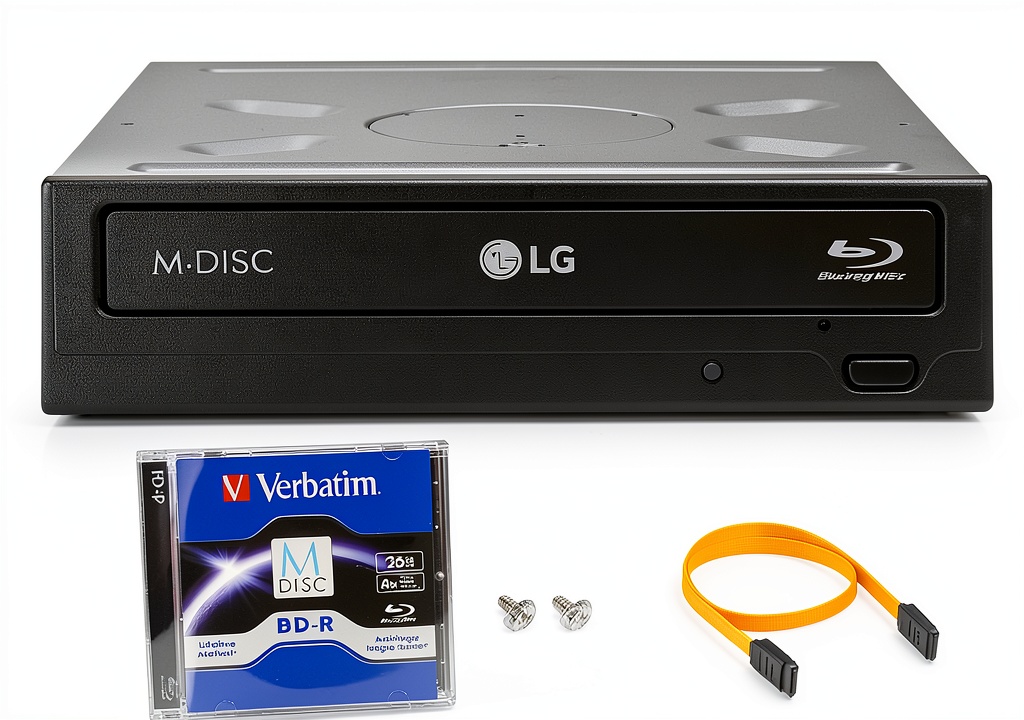
The LG internal Blu‑ray writer bundle combines a high‑performance 16x BD‑R drive with a 25 GB M‑Disc for long‑term data preservation. Housed in a sturdy black chassis, the drive fits a standard 3.5‑inch bay and connects via SATA, delivering read speeds up to 2.4 MB/s and write speeds of 16x for both BD‑R and DVD‑R. Included are a SATA data cable, power connector, and four mounting screws, ensuring a complete installation package.
Usage
Ideal for professionals needing reliable backup and enthusiasts archiving high‑definition video, this drive works in any Windows PC (XP, Vista, 7, 8) with a 3.5‑inch drive bay. Use it to create permanent copies of critical documents, family photos, or large media libraries. The M‑Disc’s rock‑like data layer resists degradation, making it perfect for long‑term storage in office or home environments.
Why Choose Us
LG’s reputation for optical technology ensures consistent performance and durability. The bundle includes a lifetime of technical support, a three‑year labor warranty, and a one‑year parts warranty, giving peace of mind. The M‑Disc’s non‑volatile layer outlasts traditional dye‑based media, providing a cost‑effective solution for archival needs.
Key Features
- 16x burn speed for BD‑R and DVD‑R, 48x for CD‑R
- 25 GB M‑Disc BD included for permanent, archival‑grade storage
- Full SATA interface with included data and power cables
- Compatible with Windows XP, Vista, 7, and 8 operating systems
- Comes with mounting hardware for quick, tool‑free installation
FAQ
Can the drive read and write both Blu‑ray and DVD?
Yes, the LG WH16NS40 supports reading and writing of BD‑R, DVD‑R/+R, and CD‑R formats, providing versatile media compatibility.
Is the M‑Disc truly permanent?
M‑Disc uses a rock‑like data layer that is rated for 1,000 years of data retention under proper storage conditions, far exceeding standard optical media.
What are the system requirements?
The drive requires a PC with a 3.5‑inch drive bay, SATA interface, and Windows XP, Vista, 7, or 8. No additional drivers are needed for basic operation.
How do I install the drive?
Mount the drive in the 3.5‑inch bay using the supplied screws, connect the SATA data and power cables, and secure the cables. The system will recognize the drive automatically.
Does the bundle include any software?
The package includes basic burning software for creating discs, but you can also use any third‑party application that supports standard optical drives.




Reviews
There are no reviews yet.