

Description
Product Overview
BrightPages presents a comprehensive Kindle eBook designed to spark imagination and develop artistic skills in children aged six to twelve. With a total of 264 pages, the digital volume offers a diverse collection of drawing prompts, step‑by‑step sketches, and creative challenges that guide young artists from simple shapes to intricate scenes. The eBook’s file size of 45.3 MB ensures quick download and smooth navigation on any Kindle device or compatible tablet, while the clear, high‑resolution illustrations remain crisp on screens of all sizes. Each activity is thoughtfully organized by difficulty level, allowing parents and educators to select tasks that match a child’s current abilities and gradually increase complexity as confidence grows.
The eBook’s structure mirrors a traditional activity book while taking full advantage of digital interactivity. Readers can instantly tap a thumbnail to jump to any page, use the built‑in zoom function to examine fine details, and bookmark favorite sketches for later reference. Although the Kindle format does not support enhanced typesetting or X‑Ray features, the straightforward layout ensures that the focus remains on the drawing experience itself. The content aligns with educational standards for fine motor development, visual perception, and creative expression, making it a valuable supplement to classroom art curricula or home‑based learning programs. Additionally, the 264‑page count provides ample material for daily practice, weekend projects, or extended holiday activities without the need for additional purchases.
Beyond the core drawing exercises, the Kindle eBook includes helpful tips on selecting appropriate drawing tools, understanding basic perspective, and experimenting with color theory, even though the file itself does not contain interactive color palettes. These instructional sections are written in a friendly tone that encourages curiosity and self‑directed exploration, reinforcing the idea that art is a personal journey rather than a rigid set of rules. By integrating these educational snippets directly into the reading flow, BrightPages ensures that each page not only entertains but also educates, fostering a well‑rounded artistic foundation that can be built upon with physical media later on.
From an educational perspective, the BrightPages drawing eBook aligns with common core standards for visual arts, emphasizing observation, experimentation, and reflection. Each activity prompts children to identify shapes, practice proportion, and explore shading techniques that reinforce mathematical concepts such as symmetry and measurement. The inclusion of brief explanatory notes after each drawing task encourages learners to articulate what they have created, fostering language development alongside artistic growth. Moreover, the eBook’s structure supports differentiated instruction; teachers can assign specific pages to groups of varying abilities, while parents can select challenges that match their child’s current confidence level. By integrating art with foundational academic skills, the product serves as a multidisciplinary tool that enriches both creative and cognitive development.
The visual layout of the eBook has been carefully crafted to reduce eye strain and promote comfortable reading sessions. High‑contrast black‑on‑white illustrations are paired with generous white space, allowing young eyes to focus on each line without distraction. Navigation icons are sized for small fingers, and the built‑in bookmark feature lets readers return to unfinished drawings with a single tap. For children who prefer a guided approach, the eBook offers optional voice‑over narration that reads the instructions aloud, supporting auditory learners and early readers who are still developing fluency. All of these design choices reflect BrightPages’ commitment to creating a user‑friendly digital product that feels as intuitive as a traditional paper activity book while leveraging the convenience of modern technology.
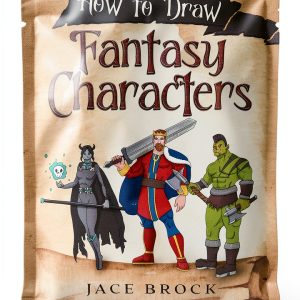
![[Product front view showing all components]](https://www.clicknets.store/wp-content/uploads/2026/06/e68aa530c0074a2bb4f28cc4a24d49de.jpg)
Usage
Parents, teachers, and caregivers will find the BrightPages Kindle eBook to be an adaptable resource for a variety of learning environments. At home, children can sit comfortably on a couch or at a kitchen table, using a Kindle device or a shared tablet to follow the step‑by‑step instructions while the parent supervises or participates. The portable nature of the eBook means that the same engaging activities can travel with the family on road trips, flights, or vacations, turning otherwise idle screen time into productive creative sessions. In classroom settings, educators can project selected pages onto a smartboard, allowing an entire class to observe the drawing process in real time, then assign individual practice on their own devices. The 264‑page length provides enough material to support a semester‑long art program without repetition, and the clear, age‑appropriate language aligns with curriculum goals for visual arts and fine motor skill development.
Because the eBook is compatible with all Kindle‑enabled devices, including the basic Kindle, Kindle Paperwhite, and Fire tablets, families do not need to invest in specialized hardware to access the content. The modest file size of 45.3 MB ensures that the book can be downloaded even on slower internet connections, making it accessible to households in remote areas. Moreover, the digital format allows for easy updates; should BrightPages release additional drawing packs or instructional videos in the future, owners can receive the enhancements automatically without repurchasing the entire product. This flexibility supports long‑term engagement, encouraging children to revisit favorite pages months after the initial download and continue refining their artistic techniques over time.
Beyond everyday practice, the Kindle drawing eBook makes an excellent gift for birthdays, holidays, or classroom rewards. Because the product is delivered instantly via Amazon’s digital platform, there is no need to wait for shipping, and the recipient can begin exploring the activities immediately on any compatible device. Gift‑wrapping options are available through Amazon, allowing parents to add a personalized message that appears in the order confirmation email. This instant accessibility also supports families who travel frequently, as the eBook can be accessed on multiple devices without the risk of loss or damage that physical books may encounter. The combination of convenience, educational value, and lasting enjoyment positions the BrightPages drawing eBook as a thoughtful and practical present for young creators.
Why Choose Us
BrightPages has built its reputation on delivering high‑quality digital learning materials that combine educational rigor with engaging design. Every illustration in this drawing eBook has been hand‑crafted by professional artists who specialize in children’s visual education, ensuring that each line, shape, and shading cue is clear and age‑appropriate. The brand’s commitment to safety and privacy means that no personal data is collected from young readers, and the eBook contains no advertisements or external links that could distract from the learning experience. By focusing exclusively on the core activity—drawing—BrightPages eliminates unnecessary features that can clutter the interface, providing a clean, distraction‑free environment that lets children concentrate on developing their artistic confidence.
The eBook’s design also reflects BrightPages’ dedication to accessibility. While the current version does not include enhanced typesetting, X‑Ray, or Word Wise features, the layout has been optimized for readability on both monochrome Kindle screens and color tablets. Large, high‑contrast icons guide users through each activity, and the text is written in simple, concise sentences that are easy for early readers to follow. In addition, BrightPages offers responsive customer support; any questions about downloading, navigating, or troubleshooting the eBook can be addressed through a dedicated help center that responds within 24 hours. This level of service reinforces the brand’s promise of a seamless, enjoyable learning experience from purchase to daily use.
Key Features
- 264 pages of diverse drawing prompts that grow with the child’s skill level, from simple shapes to detailed scenes. Each activity includes clear step‑by‑step guidance and space for personal expression.
- Optimized for Kindle and Fire tablets, with fast loading, easy navigation, and zoom functionality for detailed view of illustrations. The interface is designed for young hands, featuring large icons and simple taps.
- Includes instructional tips on basic perspective, line work, and color theory to build foundational art skills without needing physical supplies. These concepts are explained in child‑friendly language, encouraging curiosity and self‑directed learning.
- Provides a safe, ad‑free environment with no data collection, ensuring parents can trust the digital experience for their children. The eBook respects privacy standards and is free from external links or promotional content.
- Responsive customer support from BrightPages, offering assistance with download, navigation, and troubleshooting within 24 hours, backed by a satisfaction guarantee. Customers can also access a comprehensive FAQ and step‑by‑step guides to resolve common issues quickly.
FAQ
Can I use this drawing eBook on a regular Kindle without a color screen?
Yes, the eBook is fully functional on any Kindle device, including basic models that display only black and white. While color illustrations are not visible on monochrome screens, the line art and instructional text remain clear and easy to follow. The design prioritizes high contrast and simple shapes, ensuring that users without color can still benefit from the drawing prompts and step‑by‑step guidance. The zoom feature also works on all devices, allowing readers to enlarge any portion of the illustration for detailed work. This compatibility means families can share the eBook across multiple devices without worrying about hardware limitations.
What age range is this eBook suitable for, and how does it adapt to different skill levels?
The content is targeted toward children ages six to twelve, a range that covers early learners through pre‑teens. Each activity is labeled with a difficulty rating, so parents and teachers can select pages that match a child’s current ability. Beginner sections focus on basic shapes and simple lines, while intermediate and advanced sections introduce perspective, shading, and more complex compositions. The eBook also provides optional challenges for those who want to extend their practice, allowing the same resource to grow with the child over several years. This tiered approach supports differentiated learning and keeps the experience engaging as skills develop.
How do I download and access the eBook on my device, and what if I encounter issues?
To download the eBook, simply purchase it through the Amazon Kindle store and select the “Send to Kindle” option. The file will appear in your Kindle library, and you can open it on any registered Kindle device or the free Kindle app for iOS, Android, or PC. If you experience problems such as a stalled download or difficulty opening the book, first check your internet connection and ensure your device’s software is up to date. You can also restart the device or reinstall the Kindle app. Should the issue persist, BrightPages’ customer support team is available 24 hours a day via the Amazon Help Center, and they will guide you through troubleshooting steps or provide a replacement copy if necessary.
Is the eBook compatible with other e‑reader platforms besides Kindle?
The drawing book is primarily formatted for Kindle devices and apps, which use Amazon’s proprietary MOBI/AZW file types. While the file can be converted to other e‑reader formats such as EPUB using third‑party software, BrightPages does not guarantee full functionality outside the Kindle ecosystem. Features like bookmarks, zoom, and navigation icons are optimized for Kindle’s interface, and converting the file may result in loss of these interactive elements. For the best experience, we recommend using a Kindle‑compatible device or the official Kindle app on tablets, smartphones, or computers.



Reviews
There are no reviews yet.